
How to Execute a Successful DAM Migration Project in 10 Steps
Last updated
8 Nov
2025
By
Marvellous Aham-adi
Duration
x
min
Published on
06 Dec 2023
By
Marvellous Aham-adi
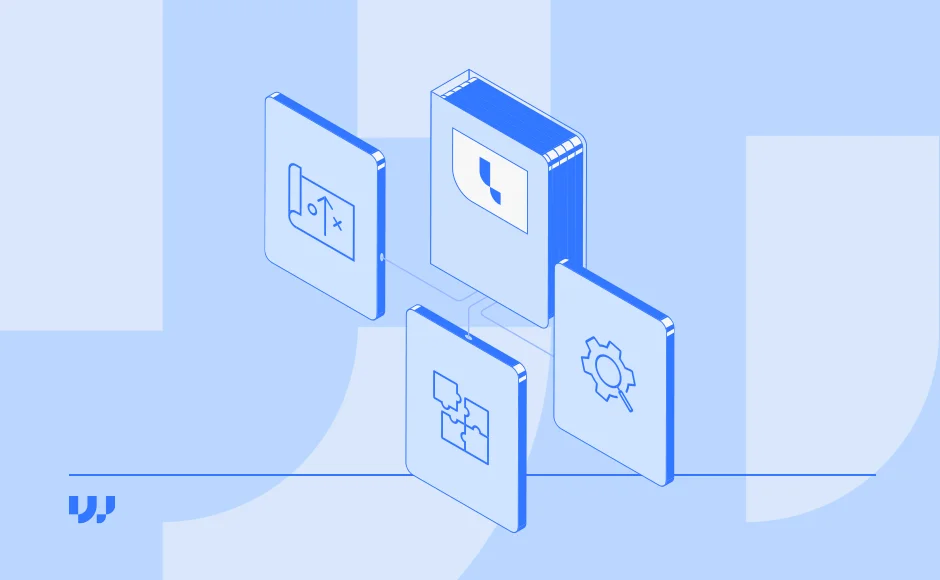


A digital asset management migration is the strategic transfer of media, metadata, and user permissions from an outdated platform to a modern system. Global brands must execute this process flawlessly to prevent data loss and operational downtime.
By 2026, multinational organizations face unprecedented content volumes. Managing millions of assets requires infrastructure that scales effortlessly. Moving to a new platform eliminates data silos and accelerates your time to market.
However, moving massive libraries of photos, videos, and 3D files requires rigorous planning. Without a structured approach, organizations risk transferring bad data into a new environment.
A well-planned migration increases workflow scalability and operational efficiency. The following ten steps outline a comprehensive framework for a secure and successful transition.
1. Define Clear Goals and Objectives
Defining specific objectives dictates the direction of your DAM migration project. Clear goals keep your technical and marketing teams aligned throughout the transition. These metrics also provide a benchmark to measure post-launch success.
Start by auditing your primary operational pain points. If your current interface slows down content retrieval, your goal is improved usability. If your teams work in silos, prioritize platforms that automate workflows and cross-departmental collaboration.
Cost reduction is another common driver. A modern solution can eliminate redundant licensing fees and expensive custom integrations. Security is equally critical. Choose a platform that guarantees data privacy and complies with strict frameworks like GDPR.
2. Perform a Current DAM System Assessment
Assessing your current setup reveals critical functional gaps. Understanding these weaknesses helps you define exact technical requirements for the new platform.
Begin by gathering qualitative feedback. Speak with the IT personnel maintaining the infrastructure and the marketers using it daily. Next, review your data integrity. Document how your current setup handles privacy, backups, and security protocols.
Analyze your existing workflows. Map out how the system currently handles asset ingestion, metadata tagging, and distribution. Check scalability limits when the system handles massive file sizes or concurrent global users. Finally, map all current integrations to ensure the new platform can replace or improve them.
3. Select a Future-Proof DAM System
Evaluation follows assessment. Once you outline your technical and operational requirements, you must evaluate vendors against those exact criteria.
Look for solutions capable of handling complex organizational structures and multi-brand hierarchies. Advanced artificial intelligence capabilities are now standard for automating content delivery and metadata enrichment.
For a comprehensive framework on evaluating vendors, read our complete guide on how to choose the best Digital Asset Management solution for your business.
4. Determine Data Structure and Mapping
Proper data structuring prevents search failures in the new system. Mapping ensures your digital assets remain correctly classified and tagged after the transfer. This step drastically reduces future retrieval times and formatting errors.
Start with a comprehensive asset audit. Categorize all files by format. Group image-based assets like PNGs or JPEGs separately from rich media like MP4s, CAD files, or 360-degree imagery.
Next, define your metadata standards. Document the exact categories and tags used previously. Analyze the data models of both systems to avoid compatibility issues. Modern Digital Asset Management relies on highly customizable metadata frameworks to support complex taxonomies.
5. Run Data Quality and Cleanup Checks
Migrating outdated or duplicate data wastes time and server costs. Cleaning your data before the move accelerates the transfer and optimizes future searchability.
Purge obsolete assets, redundant files, and poorly tagged media. Moving a clean dataset prevents your new database from becoming cluttered on day one.
Standardize your naming conventions. Ensure all identifiers and metadata fields follow a strict, unified format. A rigorous cleanup process lowers storage expenses and creates a leaner, faster media library.
6. Set Up User Access and Permissions
Governance defines successful asset management. You must maintain strict control over who can view, download, or edit specific files.
Map out user roles based on your organizational hierarchy. Configure permissions so internal teams and external partners only access the materials they need. Strict access control protects brand consistency and prevents unauthorized modifications.
Utilize audit trails for accountability. Permission logs help administrators monitor data access patterns and identify potential security risks. This guarantees compliance with global data protection standards.
7. Conduct a Controlled Pilot Test
A pilot test identifies critical mapping errors before they impact your entire library. Testing a limited data set provides a safe environment to validate your migration strategy.
Select a representative sample of assets containing various file types and complex metadata. Move this batch into the new system and monitor the results. Check for broken links, missing tags, and formatting errors.
Address any discovered issues immediately. Fixing configuration problems during the pilot phase prevents catastrophic failures during the final data transfer.
8. Execute Final Migration and Post-Migration Testing
Data backups are mandatory before initiating the final transfer. Secure copies protect your organization against unexpected data corruption or system timeouts.
Schedule the final migration during low-traffic hours to minimize operational disruption. Once the transfer completes, immediately begin validation testing. Compare the old and new databases to confirm no assets were lost or corrupted.
Test all system integrations. Ensure connections with your CMS, CRM, and Media Delivery networks function flawlessly. Perform random spot checks across different asset classes to verify metadata accuracy and folder placements.
9. Roll Out the System with Targeted Training
A new platform only succeeds if teams actually use it. Developing a comprehensive adoption strategy is just as important as the technical migration itself.
Design training sessions tailored to specific user roles. Cover routine workflows, upload policies, and search best practices. Clearly communicate why the new system benefits the organization and improves daily efficiency.
Create a structured onboarding process for external distributors and agency partners. Provide a mix of virtual training and readily accessible user manuals. Updating your internal knowledge base guarantees long-term user autonomy.
10. Perform Ongoing Maintenance and Optimization
A migration project does not end on launch day. Continuous maintenance keeps the platform healthy, secure, and fully optimized.
Regularly review folder structures and naming conventions to prevent clutter. Update metadata tags to align with new product lines or marketing campaigns.
Audit user permissions quarterly. Remove access for former employees and adjust rights for users changing departments. Train new hires immediately and schedule refresher courses to maintain high system proficiency.
Key Takeaways
- Set measurable objectives regarding cost reduction, scalability, and workflow efficiency before starting.
- Audit and clean your data thoroughly to avoid migrating duplicates or obsolete files.
- Test your data mapping with a pilot batch to identify and resolve structural errors early.
- Configure strict, role-based access permissions to protect brand assets and ensure regulatory compliance.
- Drive platform adoption through specialized training and comprehensive documentation for all stakeholders.
Frequently Asked Questions
Q: How long does a typical DAM migration take?
A: Migration timelines vary based on asset volume and metadata complexity. For large-scale businesses, a complete transition typically takes between three to six months. Proper auditing and data cleanup phases heavily influence this schedule.
Q: What is the biggest risk during asset migration?
A: The most significant risk is data loss or metadata corruption during the transfer. This occurs when data structures between the old and new systems are not properly mapped. Conducting a controlled pilot test mitigates this risk entirely.
Q: How do we handle metadata mapping during a platform switch?
A: You must extract the existing tags and align them with the taxonomy of the new system. Advanced platforms like Lyvio allow for highly customizable metadata models to match your exact organizational structure. This ensures searchability remains intact.
Q: Should we migrate all our historical digital assets?
A: No. A migration is the perfect opportunity to archive obsolete content and delete duplicates. Transferring only active, approved, and high-value assets reduces storage costs and improves system performance.
Q: How does AI assist in the migration process?
A: Modern platforms use AI to automatically tag unlabeled images and transcribe video content during ingestion. This drastically reduces the manual labor required to categorize legacy assets that were previously unindexed.
Q: Can we integrate the new DAM with our existing PIM or CMS during migration?
A: Yes. Integrating your product information and content management systems is a standard phase of the rollout. A headless architecture and robust APIs ensure seamless data flow across your entire marketing technology stack.
Q: What team members are required for a successful migration?
A: A successful project requires a dedicated project manager, an IT lead for technical execution, and a DAM librarian or taxonomist. You also need input from key marketing stakeholders to define future workflow requirements.
Q: How do we ensure user adoption after launching the new platform?
A: High adoption relies on intuitive user interfaces and role-specific training. Provide localized onboarding sessions, clear governance manuals, and highlight how the tool specifically reduces daily manual workloads.
Bottom Line
Executing a flawless digital asset transition requires rigorous data auditing, precise metadata mapping, and comprehensive user training. By treating migration as a strategic organizational upgrade rather than a simple file transfer, multinational organizations can unlock massive efficiency gains and scale their content operations securely.
Call to Action
See how Lyvio helps global brands successfully migrate and scale their visual content operations. Book a personalized demo today to discuss your digital asset strategy with our experts.
Articles you may find interesting

Get more marketing tips
& news straight to your inbox


Wedia’s Digital Asset Management journey began in 2010.
Through Lyvio, its AI-native DAM platform, Wedia is part of the Top 10 DAM vendors worldwide, the Top 5 in Europe, and Number 1 in France.


